EquityNest — Finance & Investing Complete Kajabi Theme Guide
Grow tomorrow with care.
This guide documents installation, brand setup, member experience, every available theme section, global settings, responsive behavior, QA, updates, and rollback for EquityNest.
Quick facts
| Item | Value |
| Product | EquityNest |
| Category | Finance & Investing |
| Platform | Kajabi Courses |
| Installed theme version | 7.1.6 |
| Theme status | Active and verified |
| Documentation version | 1.0.0 |
| Captured screens | 6 validated screenshots |
Verified screenshots
### Member home
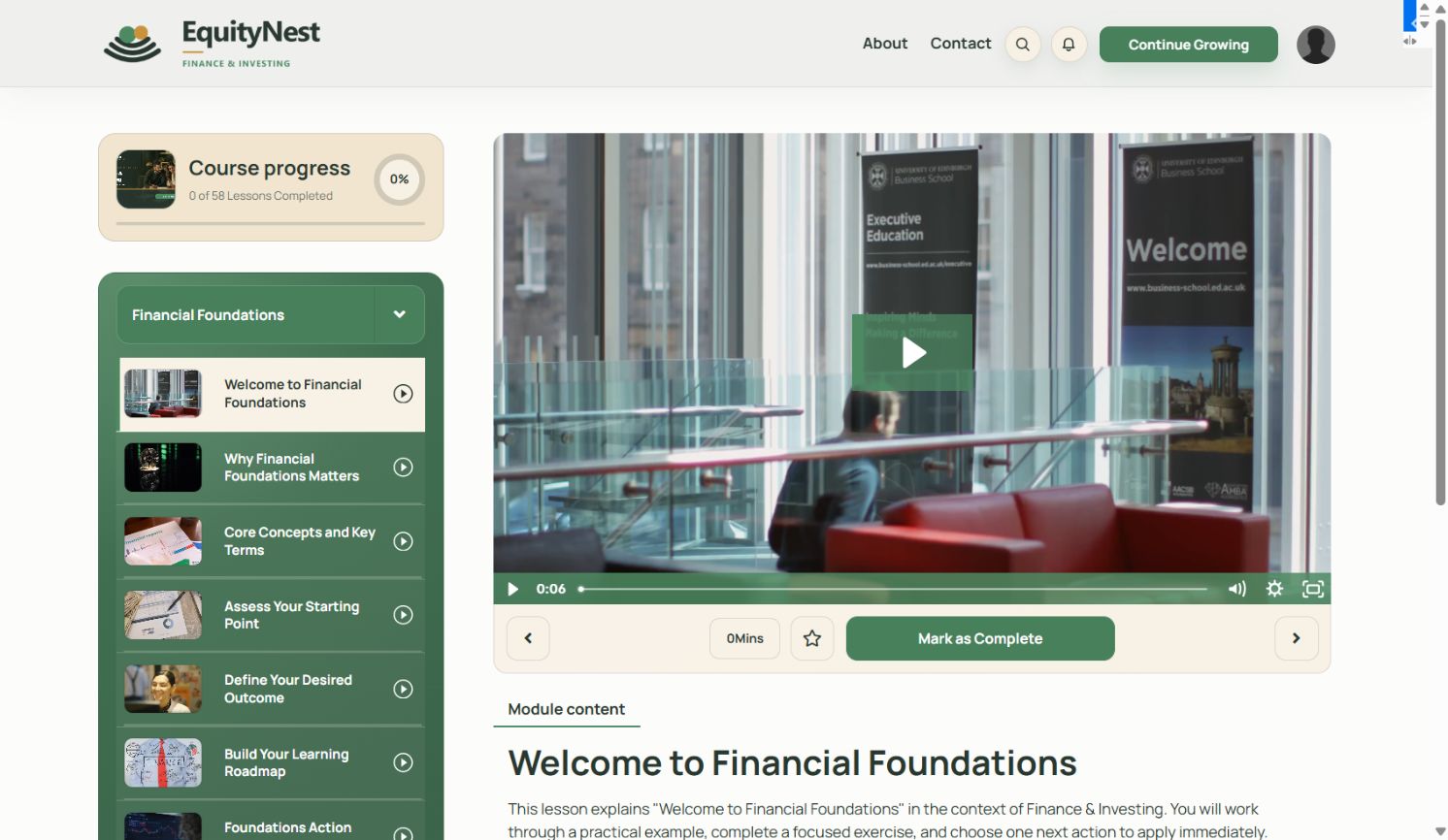
### Course discovery
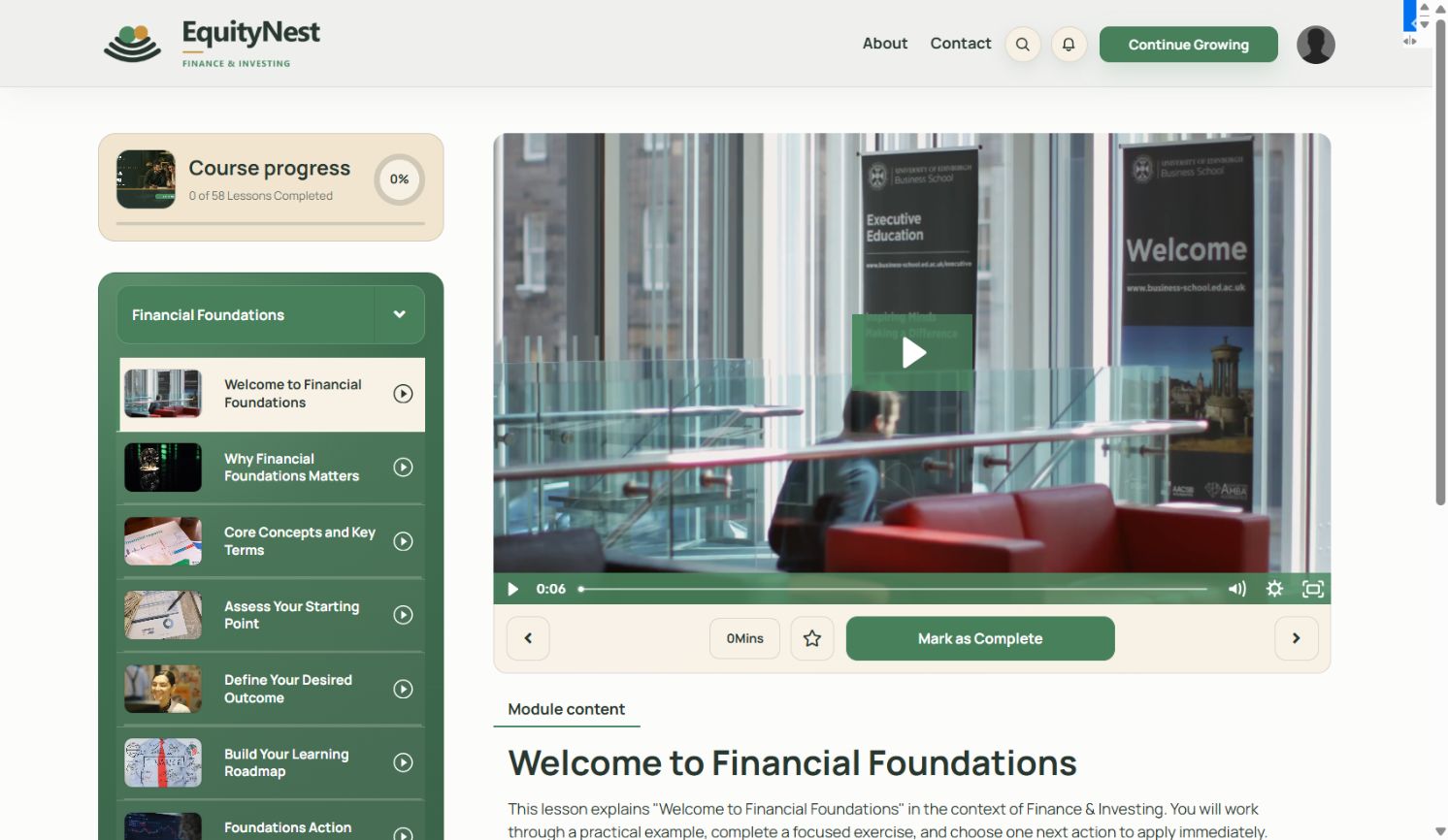
### Lesson experience
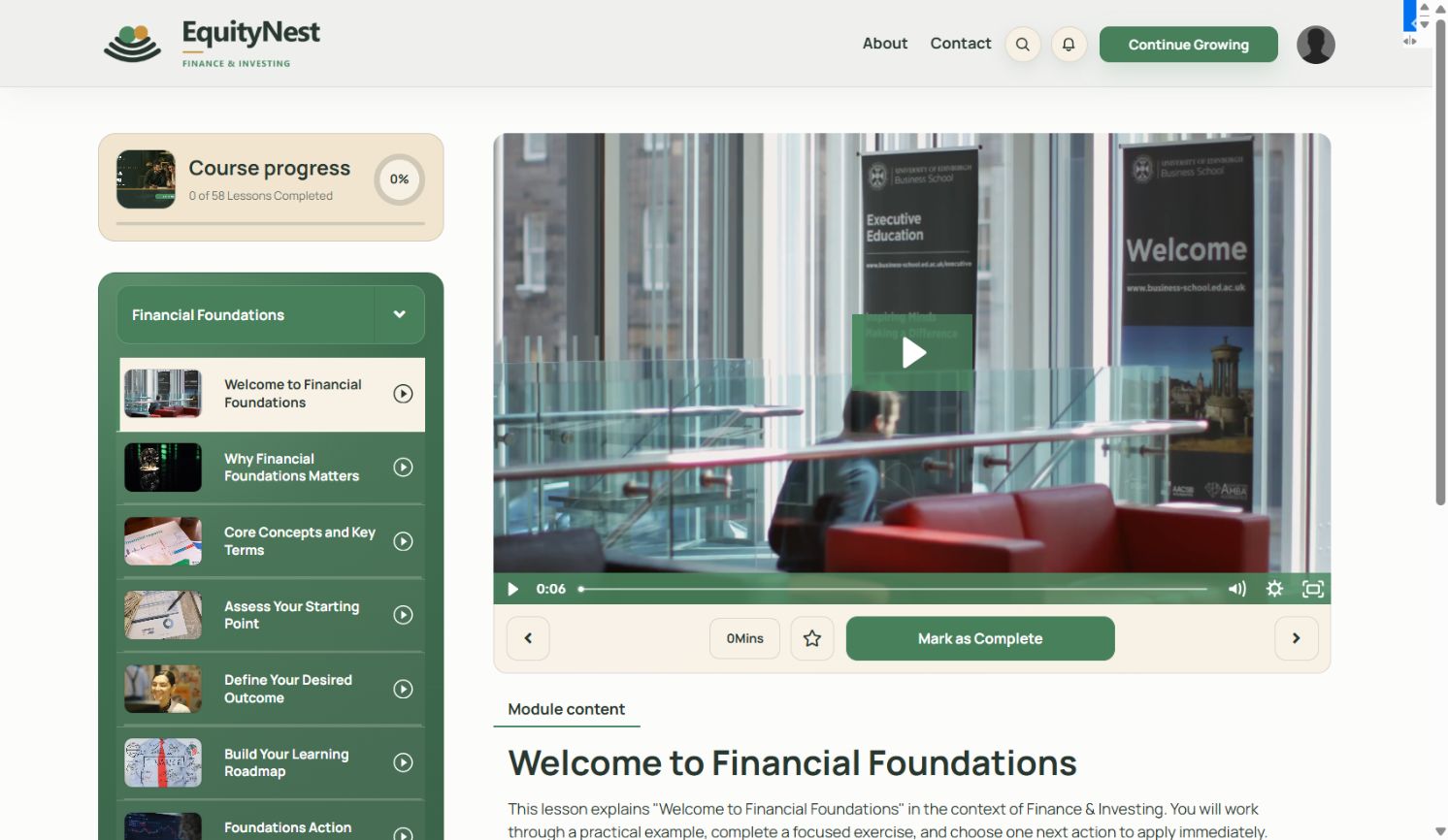
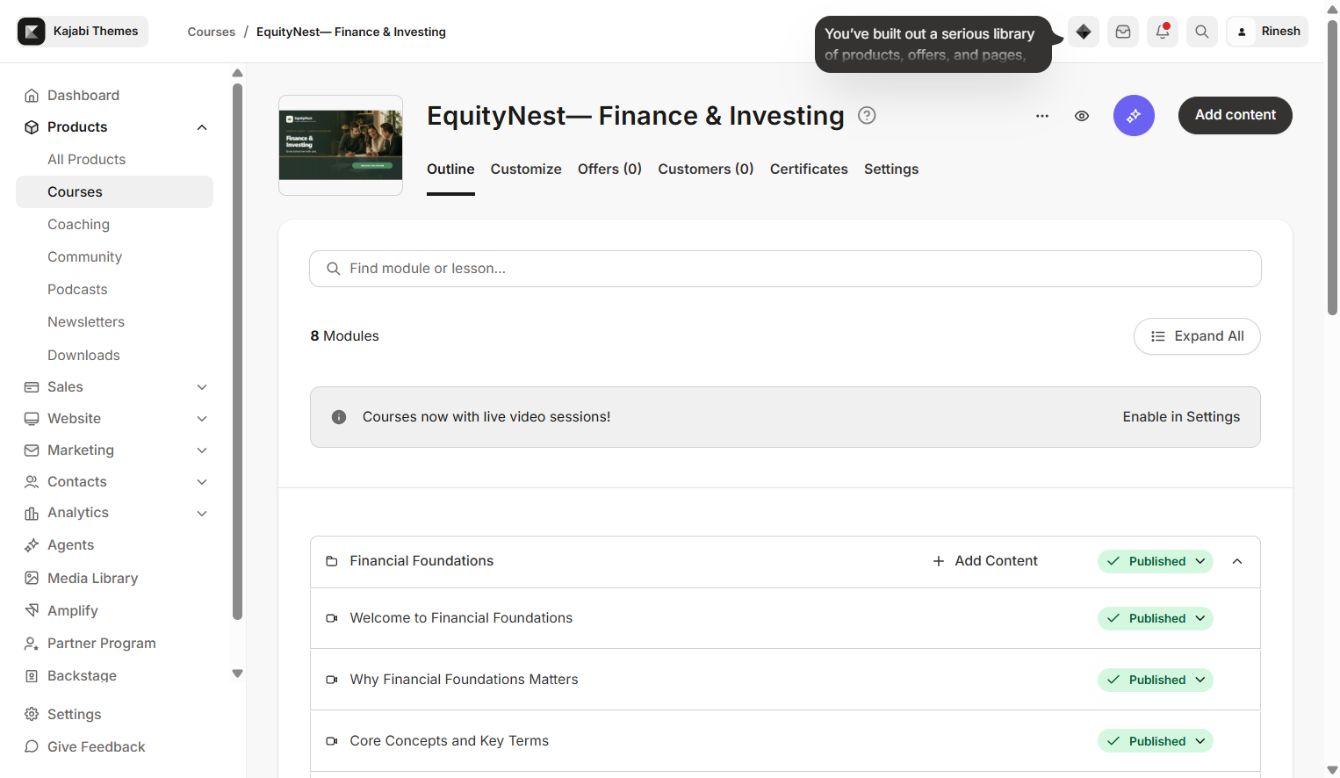
### Kajabi course outline
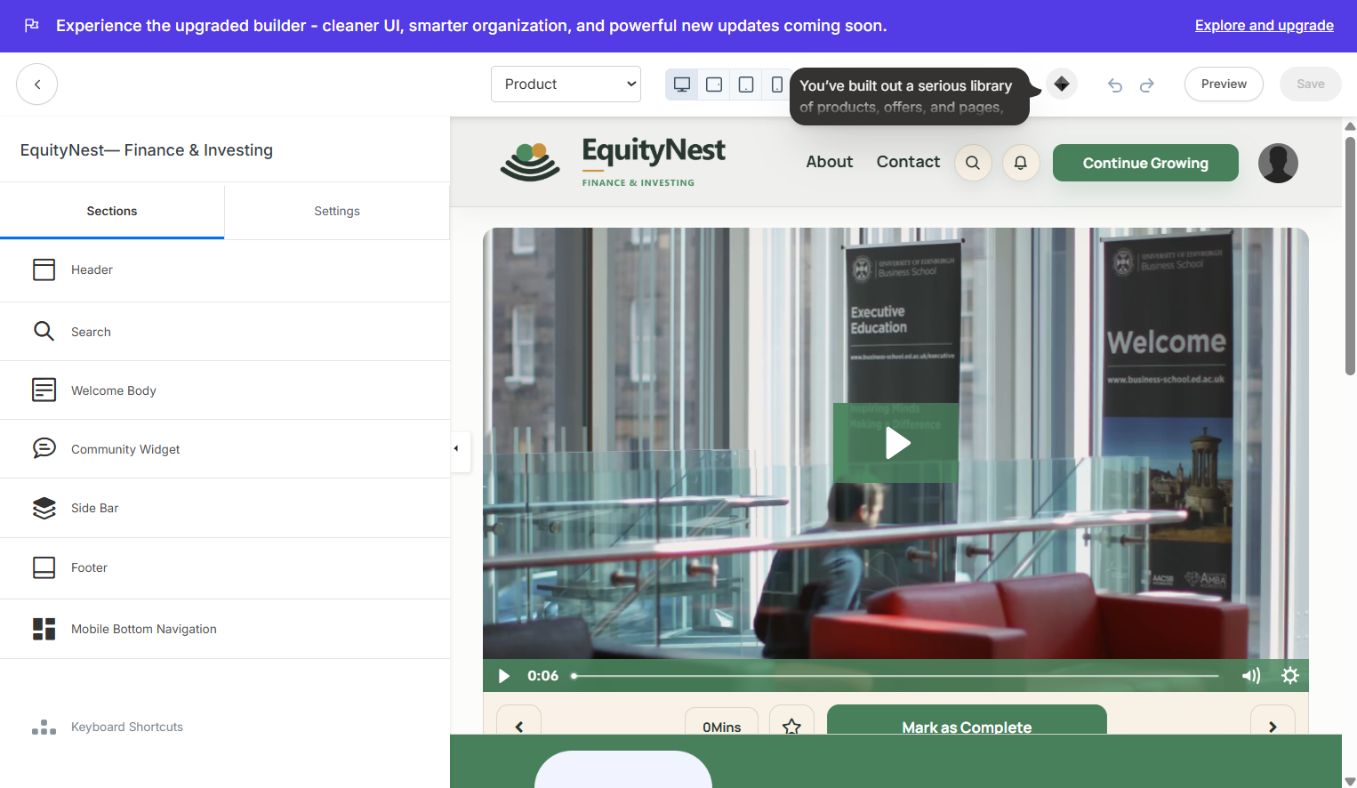
### Theme editor
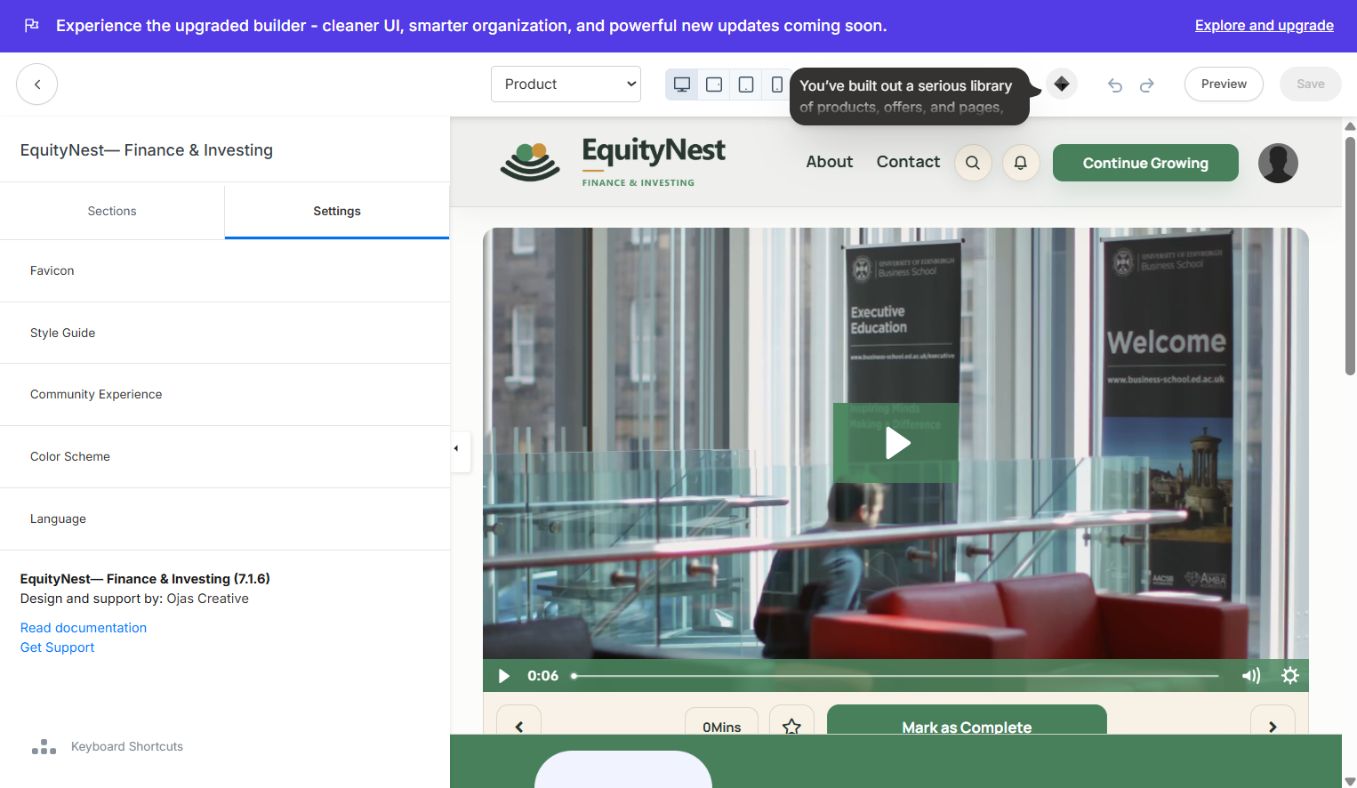
### Global settings
Complete theme feature inventory
### Member experience
- Warm editorial member layout with a branded header, navigation CTA, search, notifications, and account menu.
- Welcome video/body area with playback controls and lesson information.
- Mark as Complete and Complete & Continue actions.
- Lesson navigation, duration, saved-item control, course progress, comments, and next-step prompts.
- Course browser that can expose lessons across multiple modules in one scannable experience.
- Responsive side bar and mobile bottom navigation.
- Community connection and footer navigation.
### Sections tab
- 1Header — logo, navigation, search, notifications, account menu, and primary CTA presentation.
- 2Search — search heading, prompt, results, empty state, and close behavior.
- 3Welcome Body — welcome media, lesson title, supporting copy, progress and completion actions.
- 4Community Widget — channel connection, popup behavior, image, typography, and setup states.
- 5Side Bar — course/module discovery, member progress, lesson states, and navigation.
- 6Footer — brand identity, navigation, social/legal links, copyright, and Kajabi attribution.
- 7Mobile Bottom Navigation — mobile access to home, course content, library, and profile.
### Settings tab
- Favicon — browser-tab identity.
- Style Guide — shared component styling and visual consistency.
- Community Experience — community display behavior and accessibility.
- Color Scheme — brand surface, primary, accent, background, and text colors.
- Language — labels for search, progress, completion, navigation, and comments.
Page templates included in the builder
Use the page selector at the top of the Kajabi builder to preview and configure:
- Announcements
- Categories
- Category
- Comment
- Post / lesson
- Product home
- Search
Brand implementation
### Four-color system
| Role | Color |
| Foundation | #28372F |
| Primary | #4D8A62 |
| Accent | #C9933D |
| Soft background | #F3F3E9 |
### Logo rules
- Use the primary logo on white or soft backgrounds.
- Use the reversed logo on foundation or primary-color backgrounds.
- Use the brand mark for square avatars, icons, and compact placements.
- Preserve clear space; never stretch, rotate, or recolor the artwork.
- Confirm desktop and mobile logo dimensions separately in the Header and Footer controls.
Installation workflow
- 1In Kajabi, open Products → All Products → EquityNest → Customize.
- 2Confirm EquityNest 7.1.6 is marked Active.
- 3Open Customize and verify the Product preview loads.
- 4Review every page type using the builder page selector.
- 5Do not edit a production theme without first duplicating it or recording current settings.
- 6Apply branding in the Settings tab before changing section copy.
- 7Preview desktop, tablet, and mobile modes.
- 8Save, then open the member preview in a separate tab and test the full journey.
Recommended customization order
- 1Four-color system or Color Settings
- 2Typography
- 3Header and logo
- 4Course sidebar or navigation
- 5Product-home hero/topbanner
- 6Course discovery and content blocks
- 7Lesson/post page labels
- 8Community experience
- 9Footer and social links
- 10Mobile navigation
- 11Favicon
- 12Language and accessibility labels
Course-content compatibility
The template reads Kajabi-native product data and supports:
- Modules/categories and nested sections
- Video and text lessons
- Assessments and quizzes
- Live-session labels
- Downloads and lesson resources
- Published, draft, locked, scheduled, and dripped content
- Lesson duration and progress data
- Member completion state
- Comments
- Community connections
- Favorites/My List where enabled
Responsive and mobile behavior
- Sidebar/navigation collapses for smaller screens.
- Header controls adapt to mobile branding and compact navigation.
- Carousels remain touch-friendly.
- Media scales without breaking the content column.
- Completion and next-lesson actions remain accessible.
- Mobile navigation labels can be customized.
- Test long lesson/module names at phone width before launch.
Pre-launch QA checklist
- [ ] Correct EquityNest logo appears on desktop and mobile.
- [ ] No previous-template name remains in logo text, footer, copyright, instructor copy, or CTA labels.
- [ ] All four brand colors meet readable contrast.
- [ ] Product home, category browser, module, and lesson pages load.
- [ ] Search returns matching lessons and shows a clear empty state.
- [ ] Progress meters and completion actions work.
- [ ] Locked and dripped modules show the intended labels.
- [ ] Favorites/My List works where enabled.
- [ ] Community widget points to the correct Kajabi channel.
- [ ] Header, footer, announcements, and account menu links are correct.
- [ ] Social and legal links are correct.
- [ ] Comments and next-lesson navigation work.
- [ ] Desktop, tablet, and mobile previews have been checked.
- [ ] Favicon and browser title are correct.
- [ ] No “Theme not found,” missing media, or blank preview is visible.
Updating safely
- 1Record the active theme version and export/duplicate the theme when possible.
- 2Capture screenshots of current settings.
- 3Change one section at a time.
- 4Save and test all page types.
- 5Increase the documentation version for material changes.
- 6Keep the public documentation slug unchanged so customer bookmarks continue working.
Rollback
If a change causes a layout or behavior problem:
- 1Stop editing the active theme.
- 2Re-activate the last known-good duplicate or installed version.
- 3Restore colors, typography, logos, menus, and community settings.
- 4Clear browser cache and retest the member experience.
- 5Document the failed change before trying again.
Troubleshooting
### Preview is blank
Wait for the embedded preview to finish loading, switch to another page type, then return to Product. Do not capture or publish blank preview screenshots.
### Theme not found
Return to Product → Customize, confirm the installed theme is present and Active, then reopen Customize from that product. Never reuse another product’s theme-editor URL.
### Branding from another template appears
Check Course Sidebar/Brand, Header, Footer, copyright, global colors, and content blocks. Replace all inherited text and media, then test every page type.
### Community widget is empty
Enable Community for the course, select the correct channel, and verify the widget’s configured and empty-state copy.
### Mobile navigation is missing
Enable the mobile navigation or mobile tab bar in the relevant section and confirm all labels and destinations.
Support handoff information
When requesting support, include:
- Product: EquityNest
- Kajabi product ID: 2149549026
- Theme version: 7.1.6
- Page type affected
- Device/browser
- Expected and actual behavior
- Screenshot and exact reproduction steps
Continue learning
Ready to build your CineFlow site?
Keep this guide open while you customize, and contact support if you get stuck.