
SomaStream — Cinematic Kajabi Course Theme
SomaStream is a production-ready Kajabi course theme for yoga, wellness, fitness, and mindful education brands. Version 1.0.1 combines a cinematic member experience with native Kajabi editing controls, accurate KJB section targeting, and responsive layouts for desktop, tablet, and mobile.
Quick downloads: Illustrated PDF guide · Editable DOCX guide
Product overview
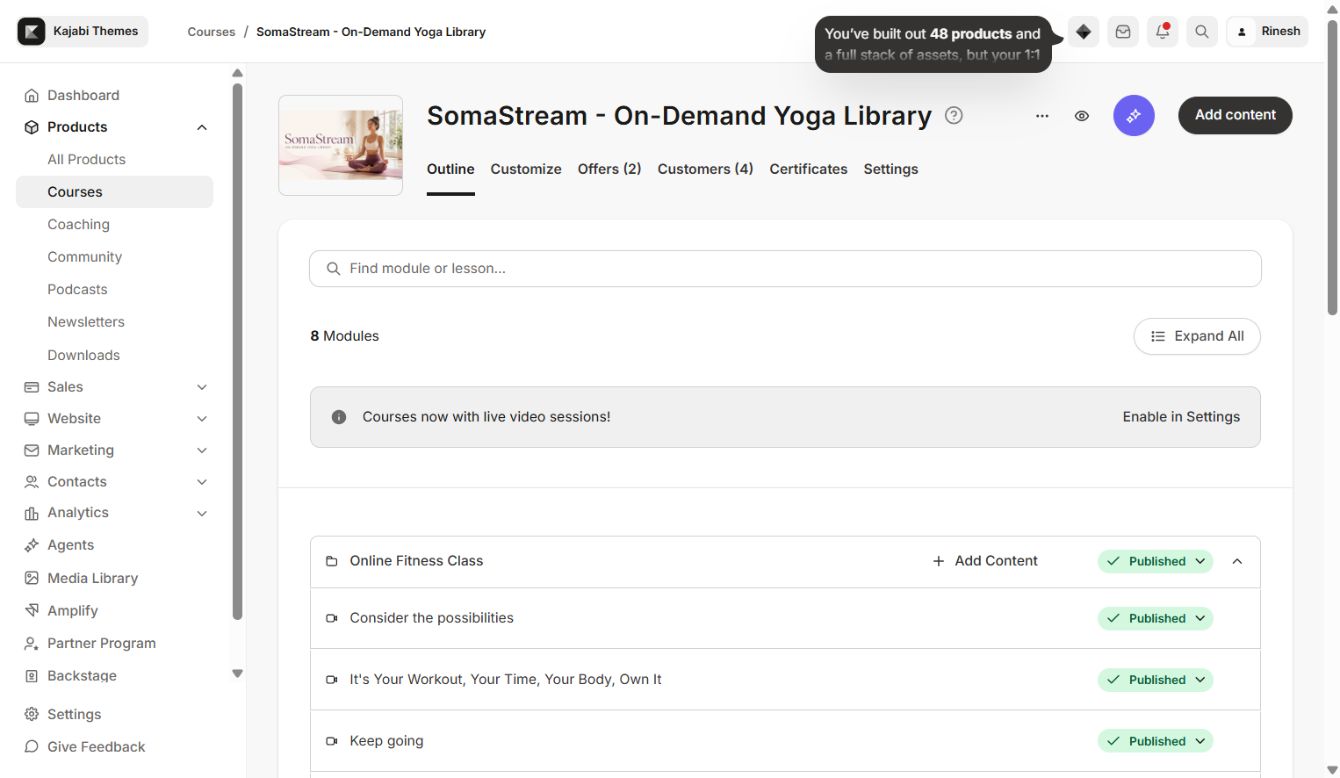
The download contains one correctly nested Kajabi theme folder inside the ZIP. Upload the ZIP directly from Kajabi Products → your product → Templates.
Installation
- 1Download nova-learning-kajabi-theme-1.0.1.zip from your Ojas Creative dashboard.
- 2In Kajabi, open Products and select your course.
- 3Open the product template area and choose Upload Template.
- 4Upload the ZIP without extracting it.
- 5Select the installed SomaStream template and open Customize.
- 6Set your logo, four brand colors, fonts, home layout, navigation links, and footer details.
- 7Preview desktop and mobile before publishing.
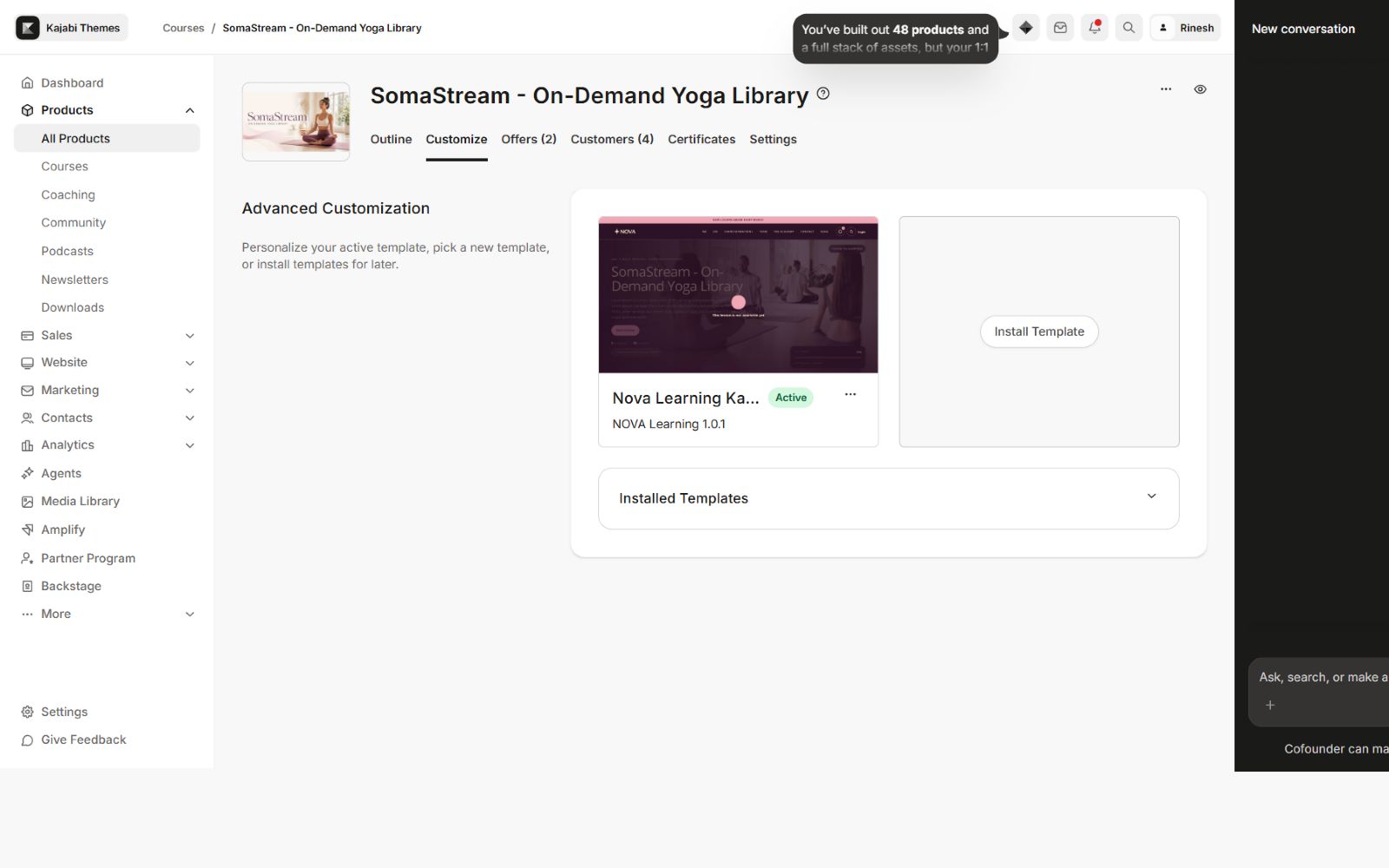
Global theme settings
SomaStream exposes the core visual system from Kajabi's native editor. You can manage colors, typography, navigation, search, community, layouts, content labels, and visibility without editing Liquid files.
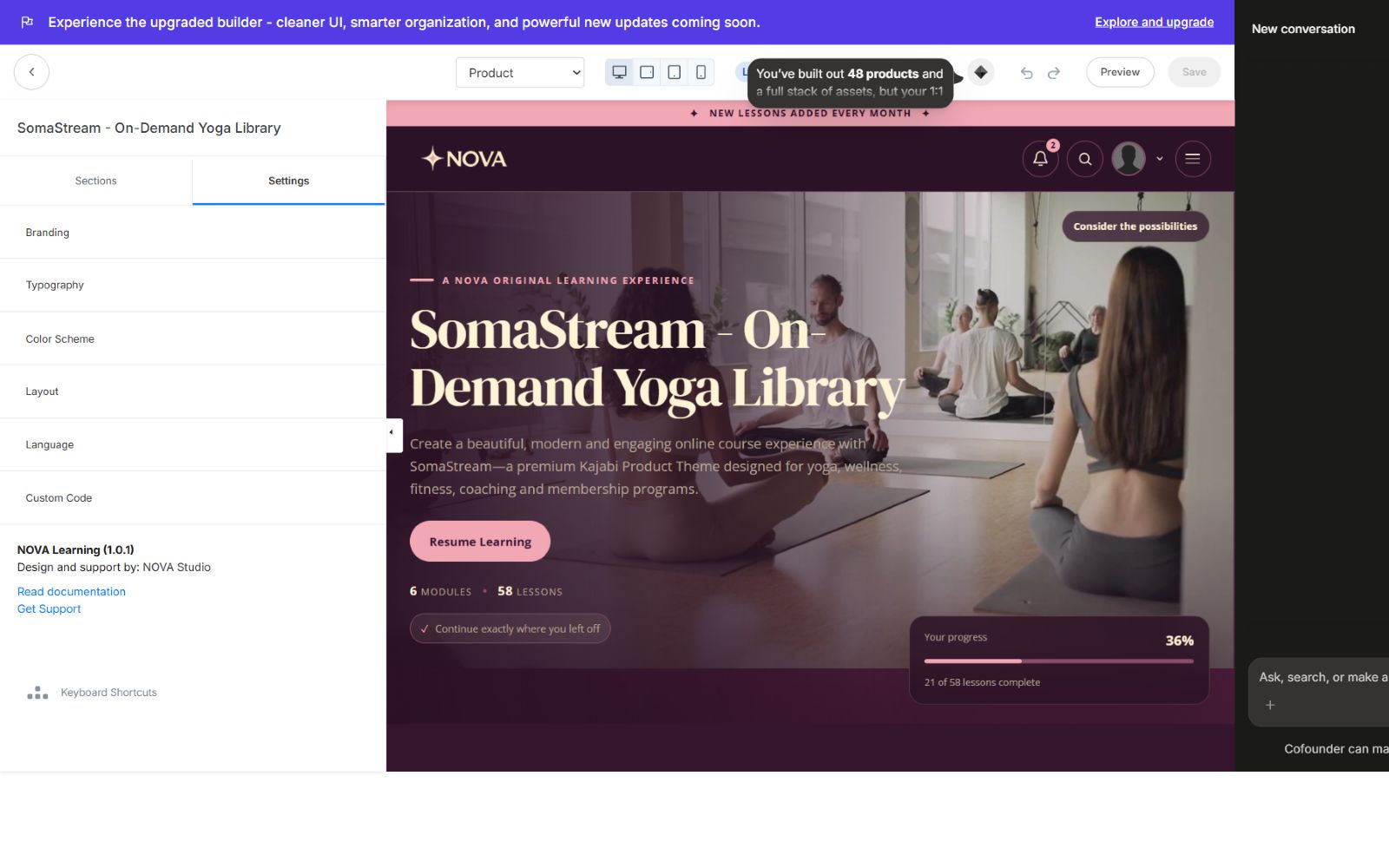
### Four-color design system
The four theme colors are connected across backgrounds, surfaces, cards, borders, buttons, highlights, text, progress states, modal panels, and mobile navigation. This keeps the whole course visually consistent when the palette changes.
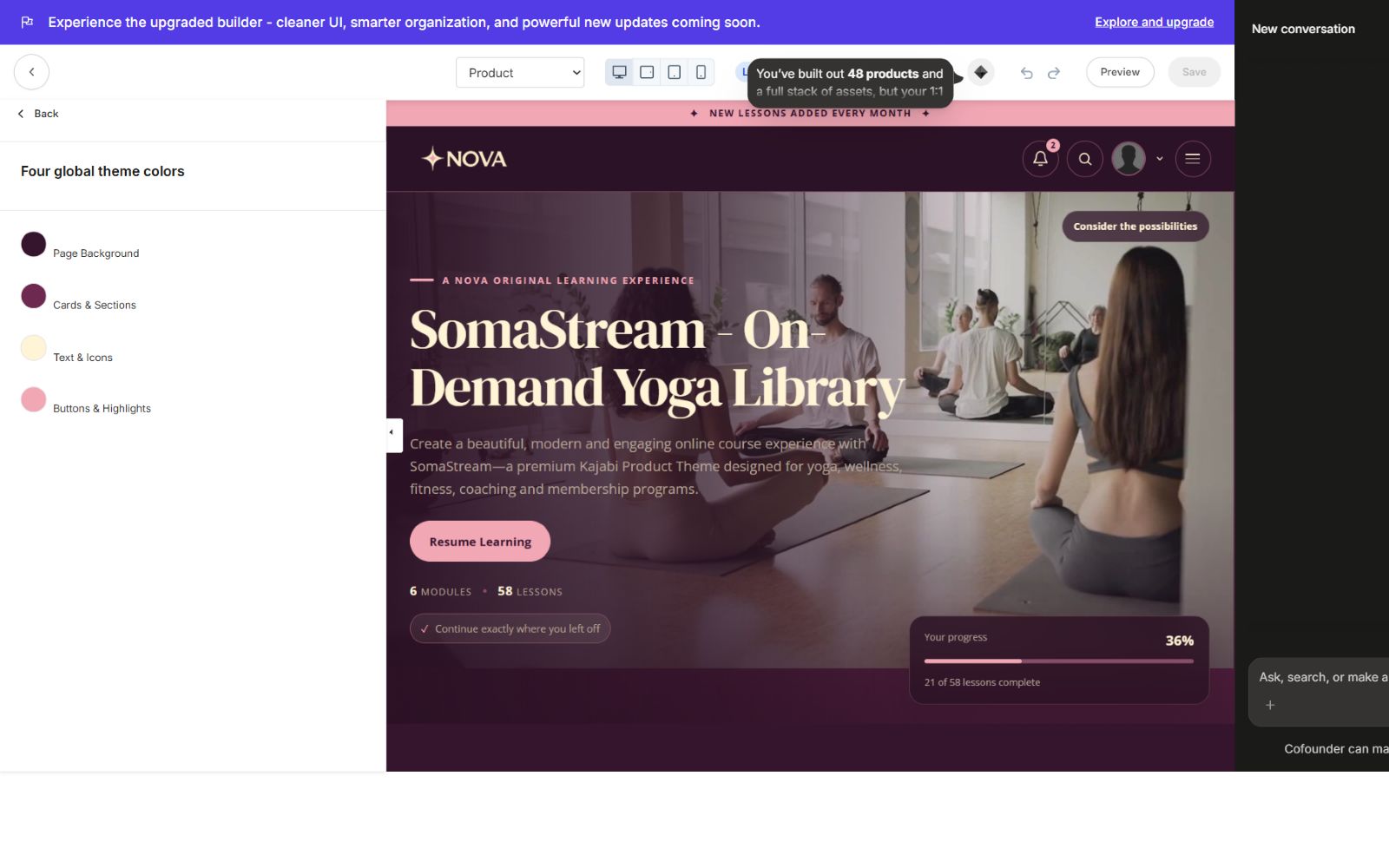
### Typography controls
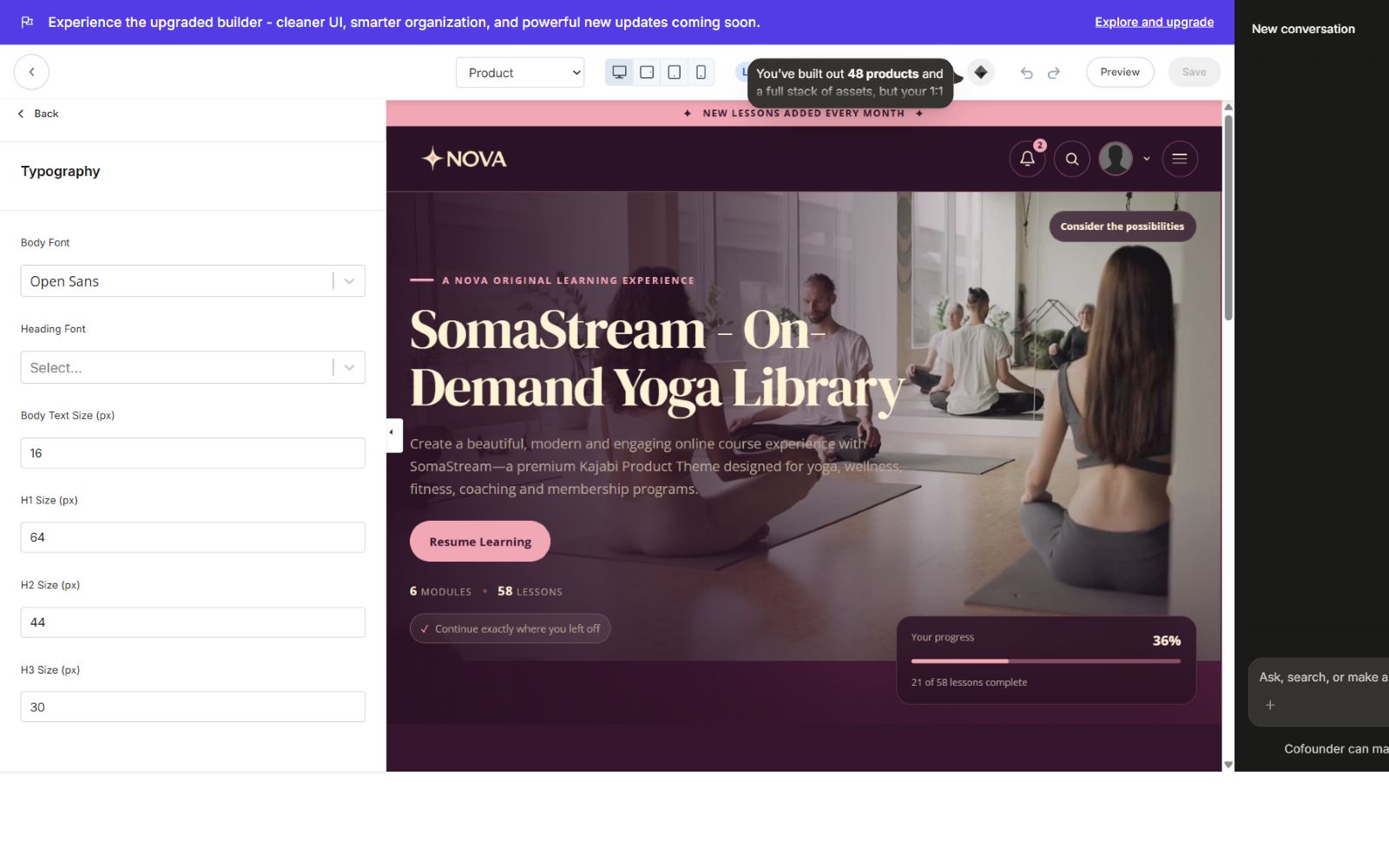
Choose separate body and heading font families, then tune the body and heading scale from the theme editor. The sizing system is applied consistently to product banners, section titles, category cards, lesson headings, buttons, resource panels, popups, and mobile layouts.
Product Home
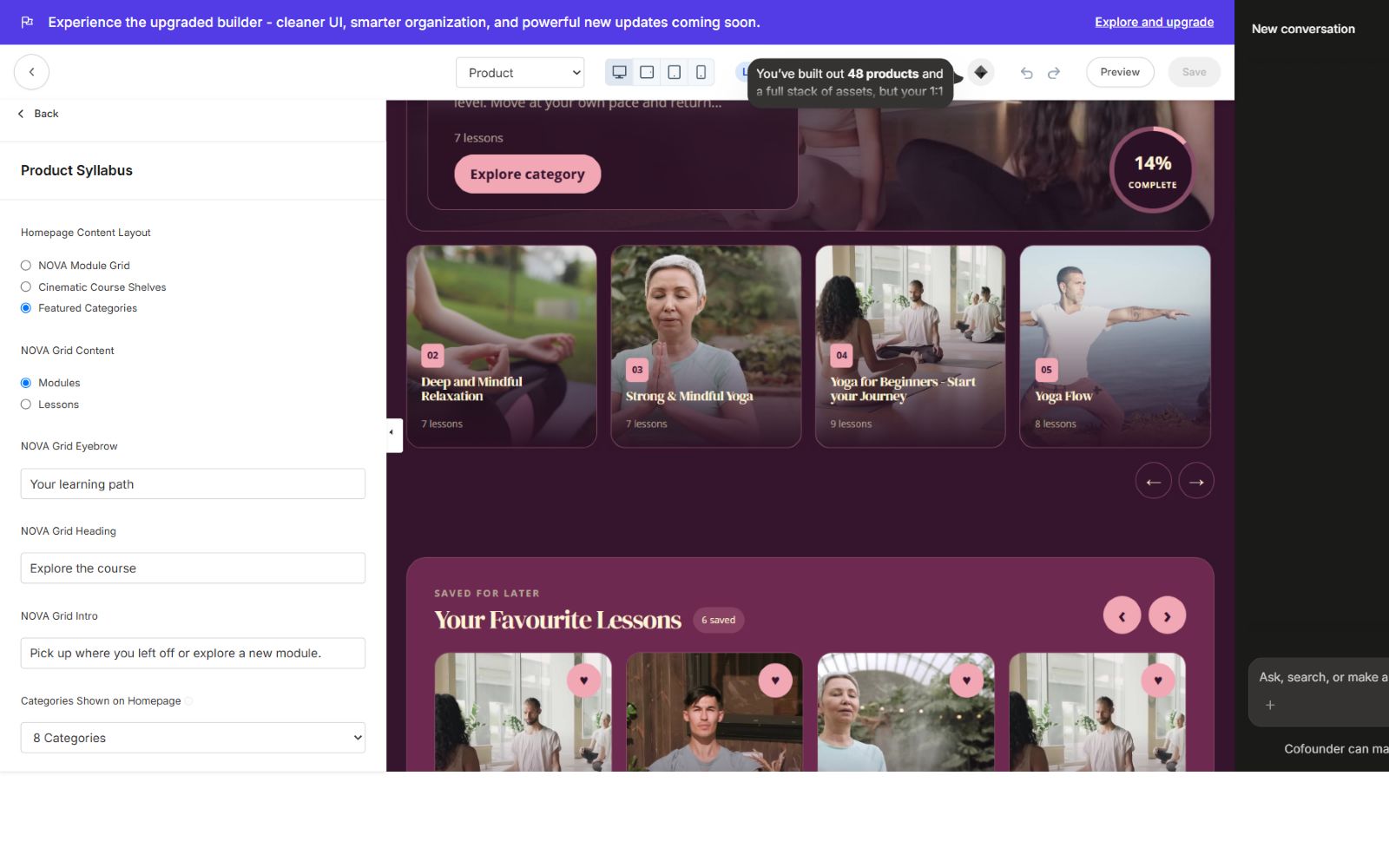
SomaStream includes two selectable Product Home experiences:
- Featured Categories — the default cinematic library layout with hero banner, category highlights, progress, and an editable Explore More action aligned to the right.
- NOVA Module Grid — a compact module-first layout for straightforward course browsing.
The favorite lessons section can be shown or hidden independently in either home layout. Favourite lessons use a responsive touch-friendly slider with proper controls instead of a native horizontal scrollbar.
### Editable home content
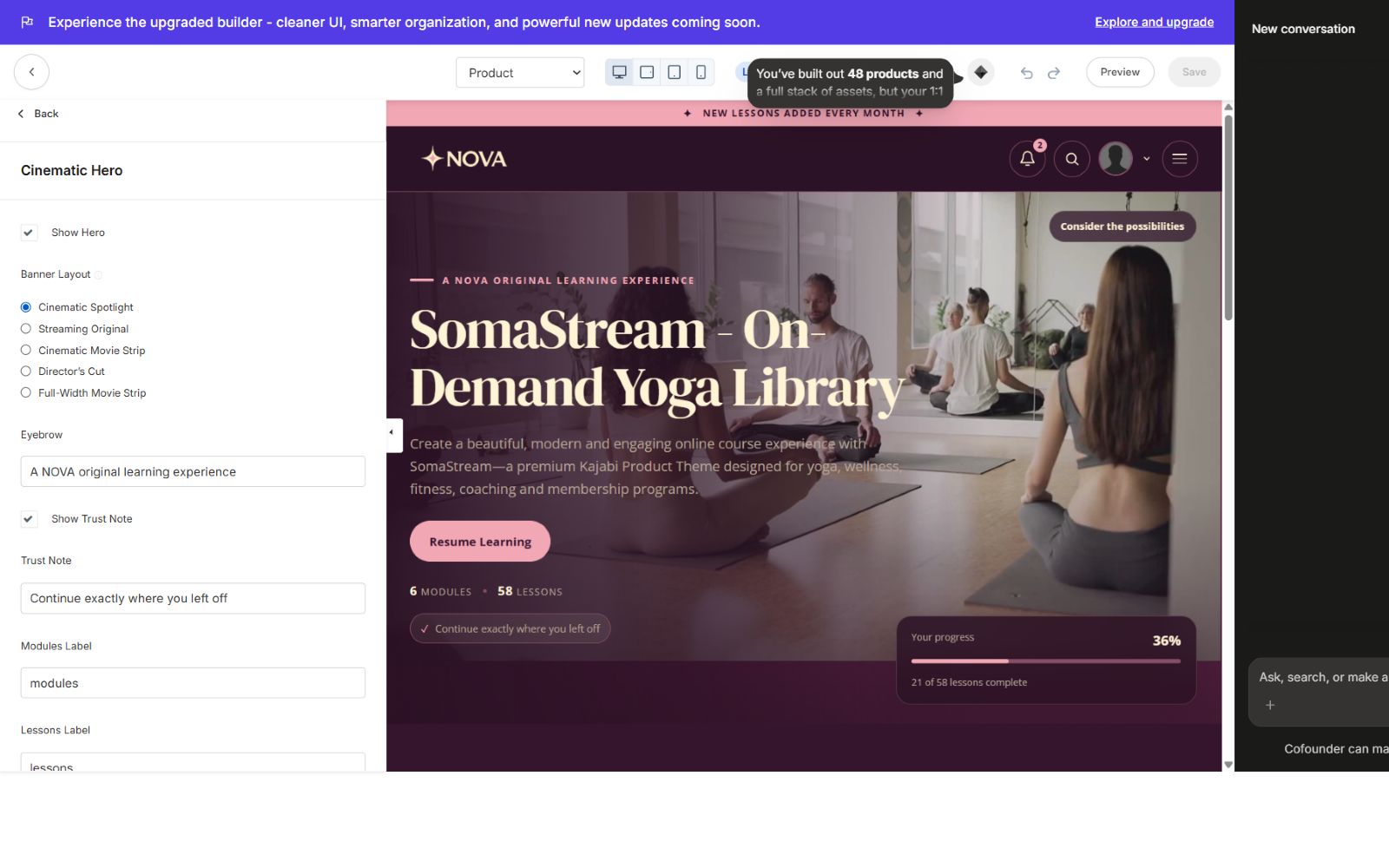
The hero eyebrow, title, body copy, CTA label, Explore More label and destination, progress labels, category headings, lesson counts, and supporting text are connected to Kajabi settings. Real yoga and wellness copy is included as the default instead of placeholder Lorem Ipsum.
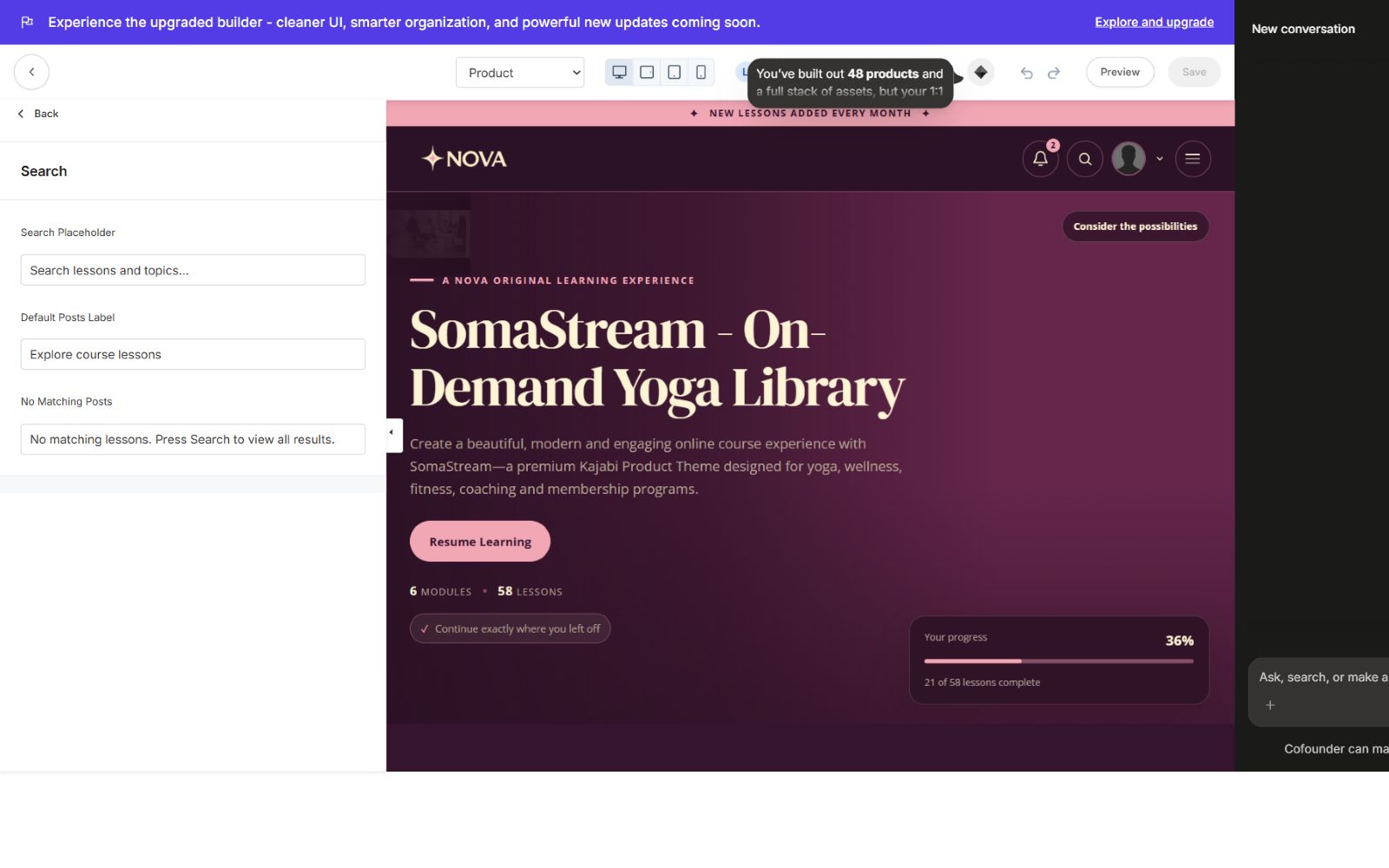
Header, announcement, and search
- Configurable announcement bar and announcement popup.
- Correct sticky-header spacing so the hero never slides underneath the header.
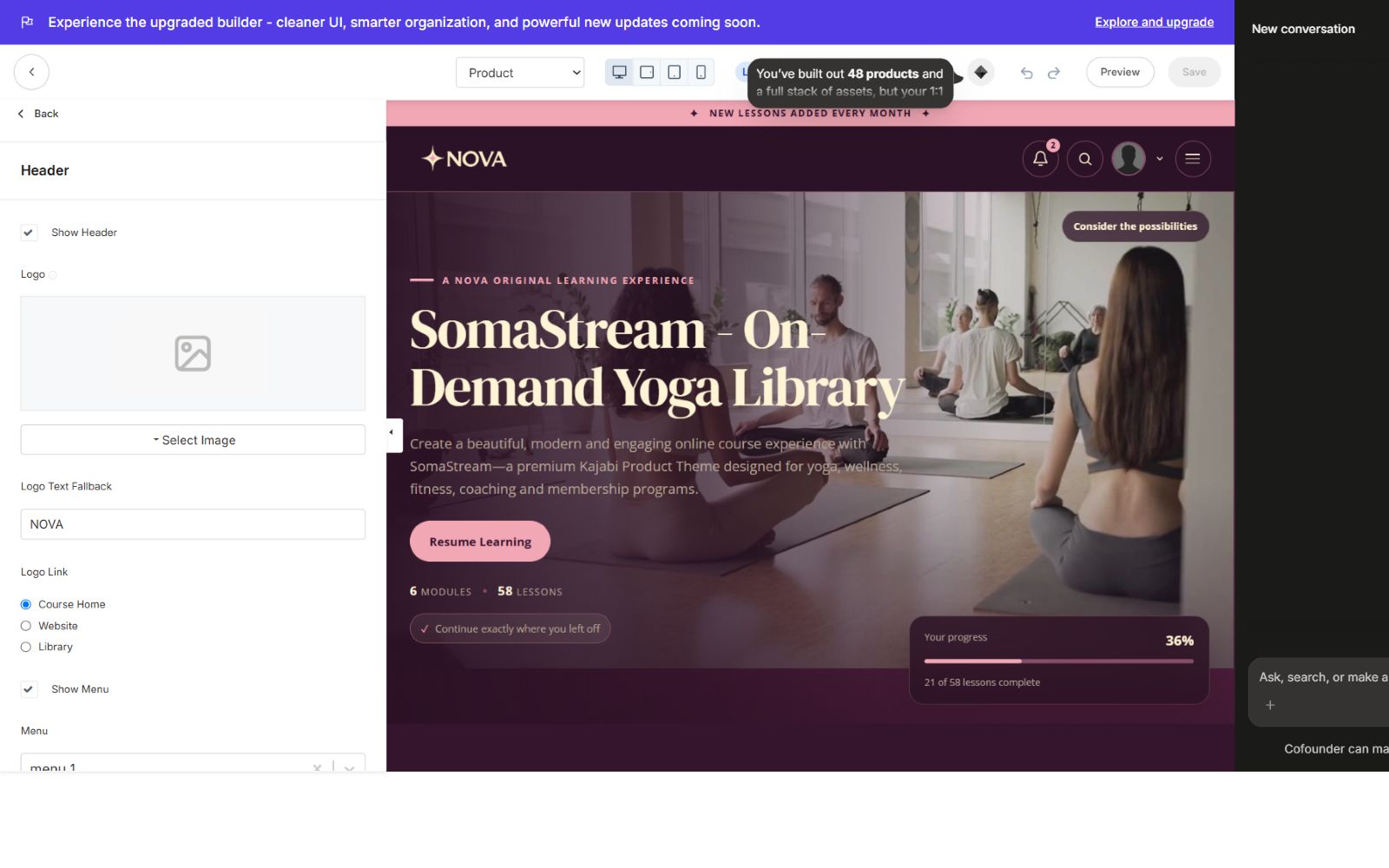
- Editable logo and navigation links.
- Search popup opens with useful lesson suggestions already visible.
- Search results update as the member types.
- Account, notification, and search controls remain responsive.
Community widget
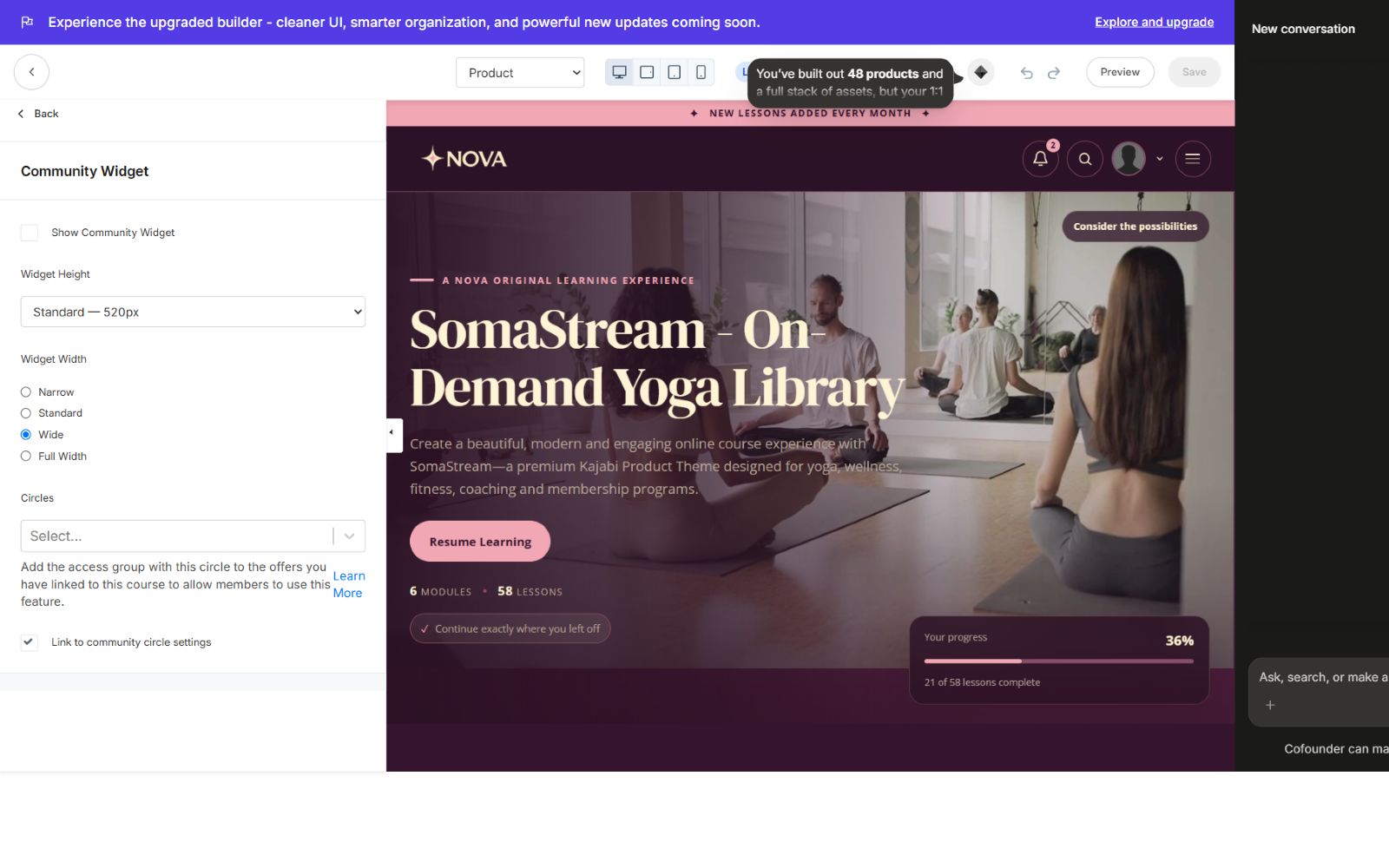
The Community Widget is off by default. When enabled, you can control:
- Visibility
- Width
- Height
- Placement
- Community link and button copy
- Use as a native Kajabi page block
Categories page
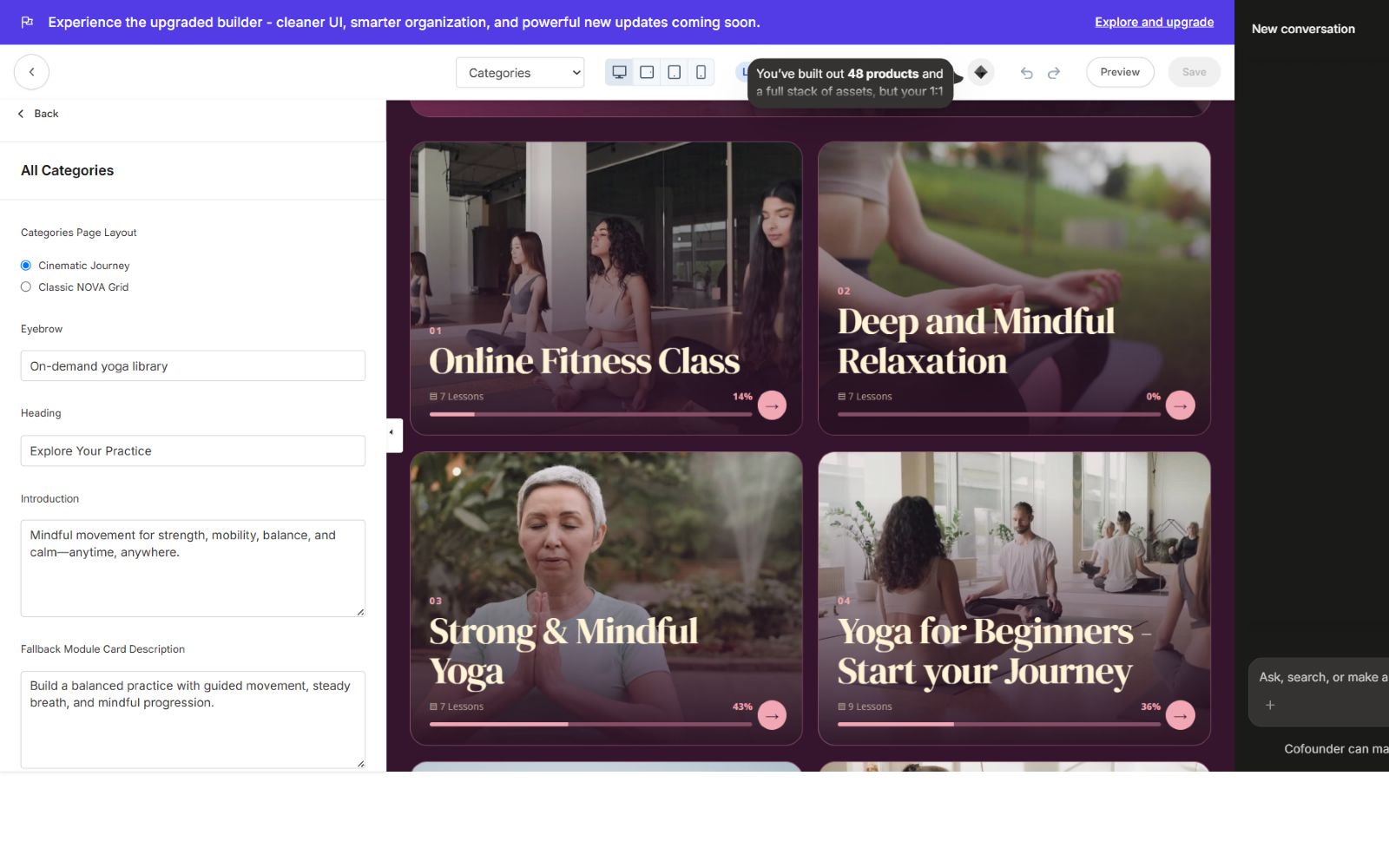
The default Categories page uses the newer SomaStream card layout: a cinematic program summary with progress followed by a responsive grid of category cards. A layout option is available for creators who prefer the alternate structured presentation.
Category page
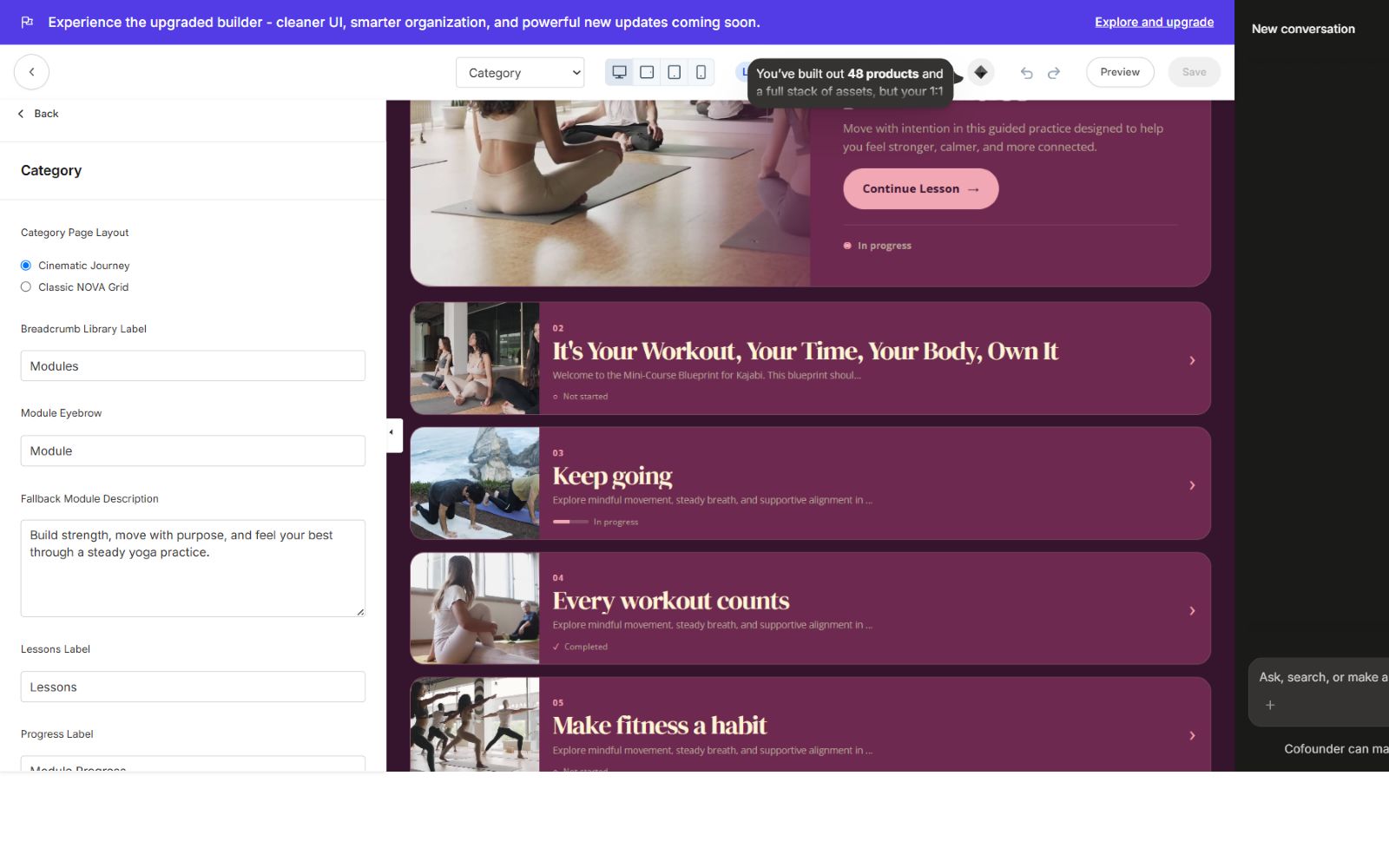
The Category page includes a module summary, progress, a prominent next lesson panel, and a clean lesson grid. Locked, drip, and scheduled states use clear icons and are intentionally non-clickable until access is available. The current SomaStream style remains available as an alternate layout.
Lesson experience
The lesson template includes:
- Styled breadcrumb matching Categories and Category pages
- Responsive video, audio, and lesson content
- Current-category lesson list
- Previous and Next lesson actions
- Complete Lesson and Save/Favorite controls
- A Categories button that opens the category chooser
- Desktop category popup and mobile slide-up category panel
- MP3 and downloadable lesson resources
- Clear locked, drip, and scheduled status icons
- Stylish lesson-material count and resource cards
On mobile, the bottom navigation appears across the course. On lesson pages, Lessons opens the lesson/post slide-up; on other pages it opens the category slide-up so members can switch modules quickly.
Favorites slider
Favorite lessons can be enabled or disabled from the Product Home settings. The section uses a polished responsive slider with card snapping, navigation buttons, accessible labels, and mobile swipe support.
Footer and Kajabi branding
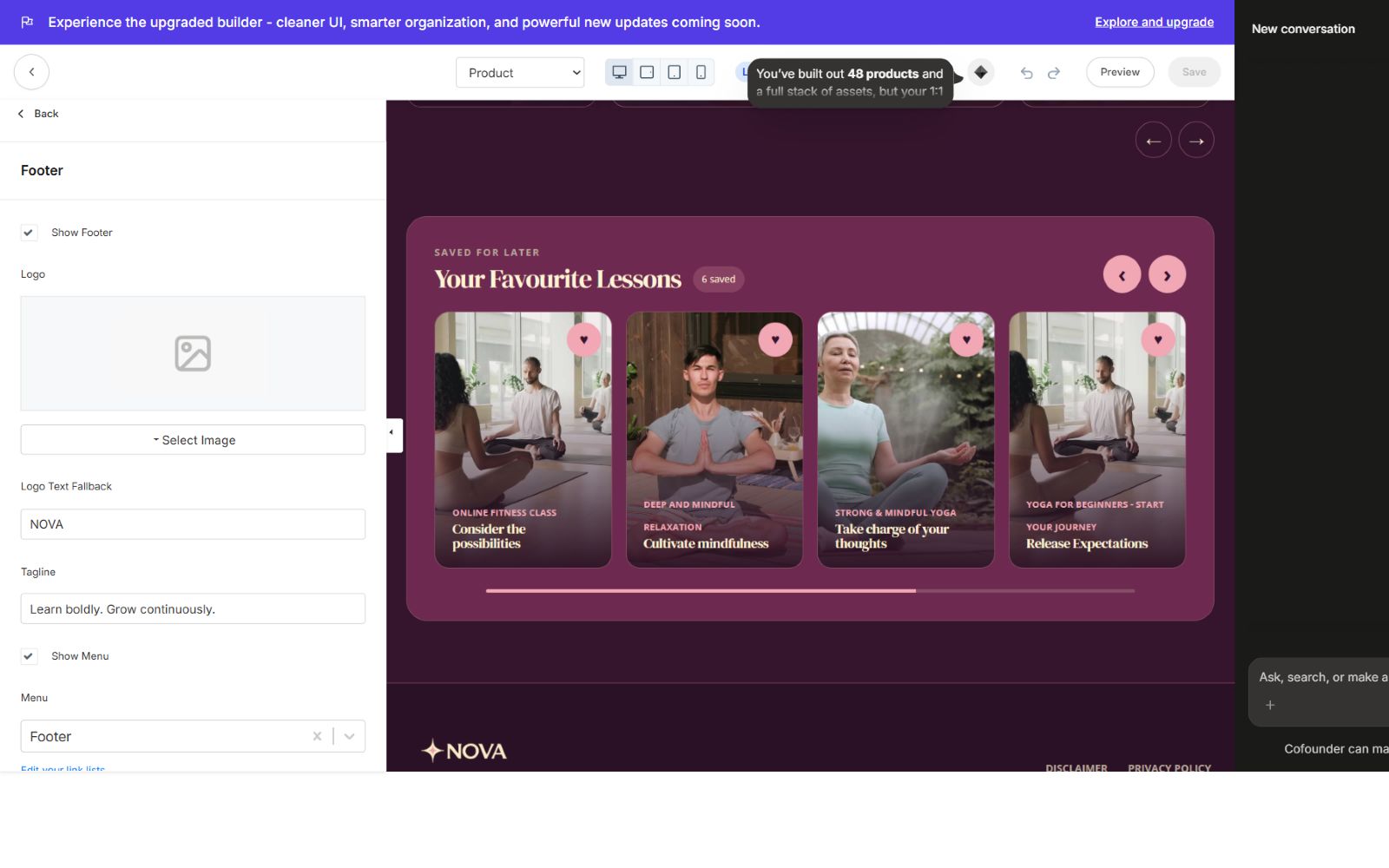
Footer content, links, social destinations, copyright text, logo, spacing, and colors are editable. A dedicated setting controls whether Powered by Kajabi is visible.
Native Kajabi blocks and KJB IDs
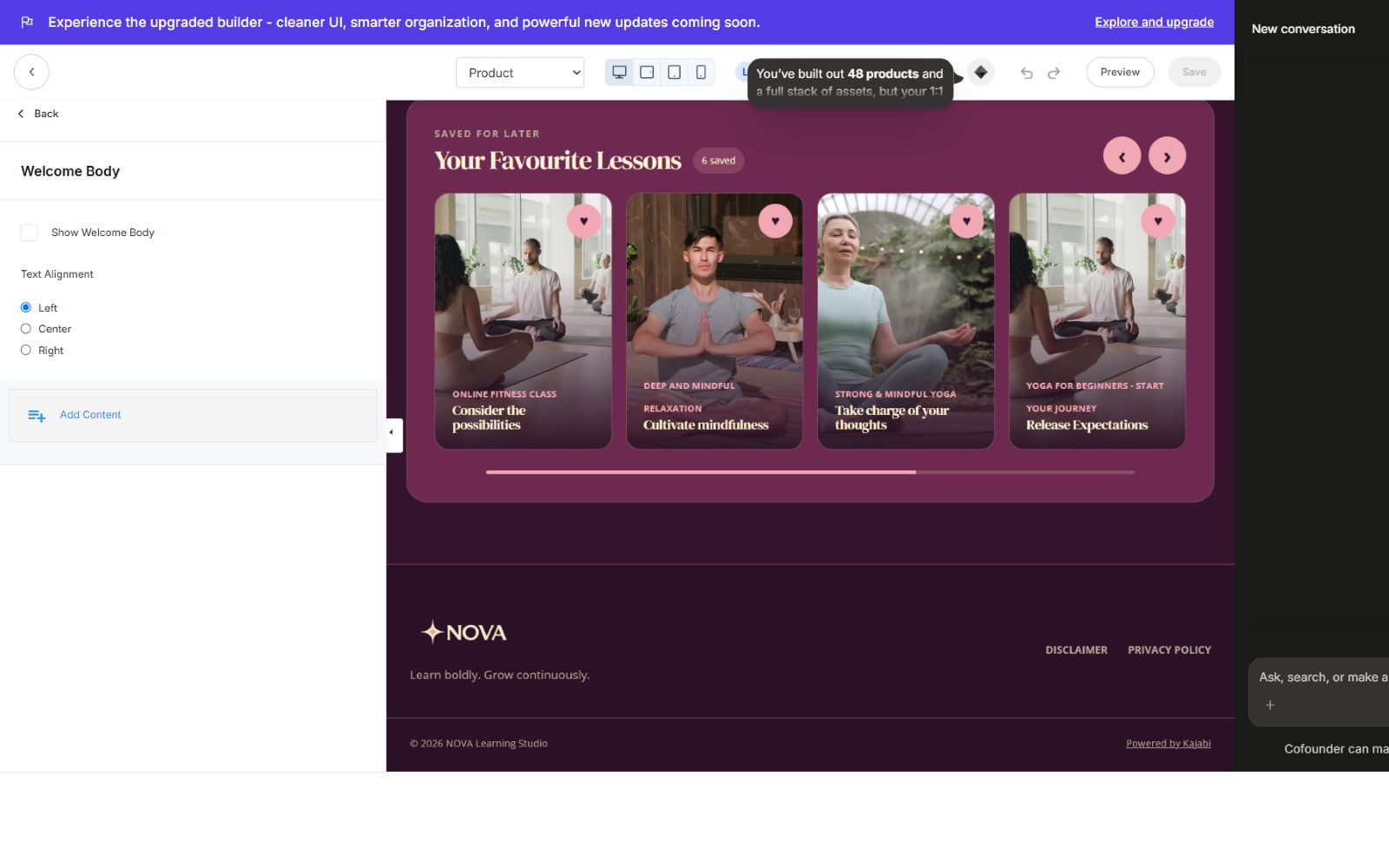
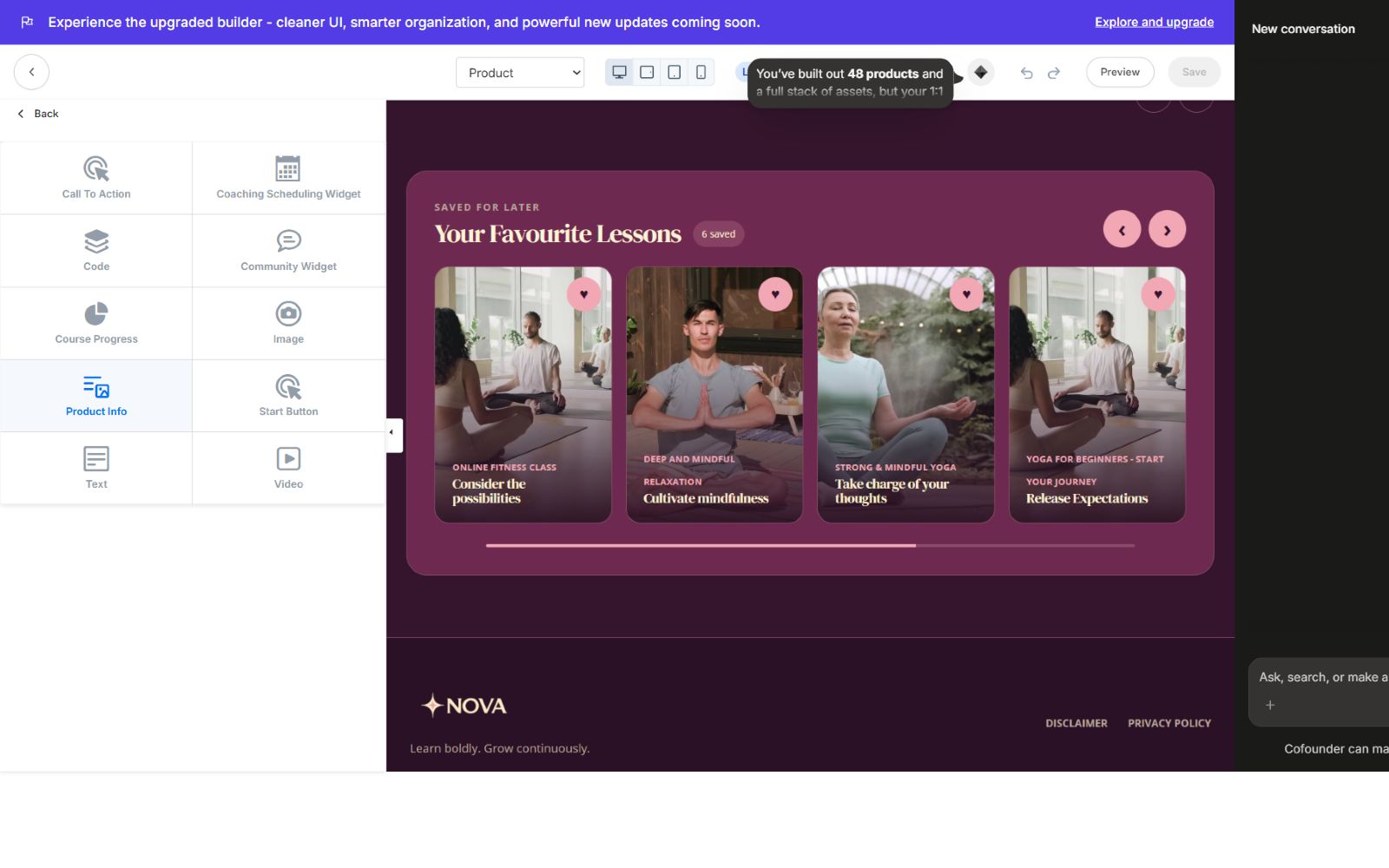
All supported sections and blocks use their real Kajabi KJB IDs so clicking a section in the preview targets the correct editor panel. Product-home blocks include Text, Image, Video, Call to Action, Start Button, Product Info, Course Progress, Code, Coaching Scheduling Widget, and Community Widget.
Responsive behavior
SomaStream is designed for desktop, tablet, and mobile. Cards collapse cleanly, text scales through the typography system, popups become touch-friendly slide-ups, navigation remains reachable, lesson media stays within the viewport, and fixed bottom controls include safe spacing so content is not covered.
Included files
- Production Kajabi theme ZIP v1.0.1
- Illustrated 25-page PDF documentation
- Editable DOCX documentation
- Built-in logo and starter visual assets
- Native Kajabi Liquid sections, snippets, settings, CSS, and JavaScript
Update notes — v1.0.1
- Added dual Product Home layout selection.
- Set Featured Categories as the default.
- Completed four-color coverage across all templates.
- Added typography family and size controls.
- Added announcement, search, community, favorites, and footer controls.
- Improved Categories, Category, and Lesson layouts.
- Added lesson next/previous navigation and category chooser.
- Added MP3 resource visibility and access-state icons.
- Corrected KJB section and block targeting.
- Corrected Kajabi ZIP nesting for reliable installation.
Support
Before requesting support, confirm that the v1.0.1 ZIP is installed, the product uses SomaStream, and your changes were saved in Kajabi's theme editor. Include the page URL, device size, and a screenshot when reporting a layout issue.
Continue learning
Ready to build your CineFlow site?
Keep this guide open while you customize, and contact support if you get stuck.